WherePDF

Merge PDF guide

How to merge PDF files in order

Use this method when several reports, scans, or forms need to become one shareable PDF. You choose the order first, then download one combined copy.

Open Merge PDF

No account required. This tool processes your file on this device.
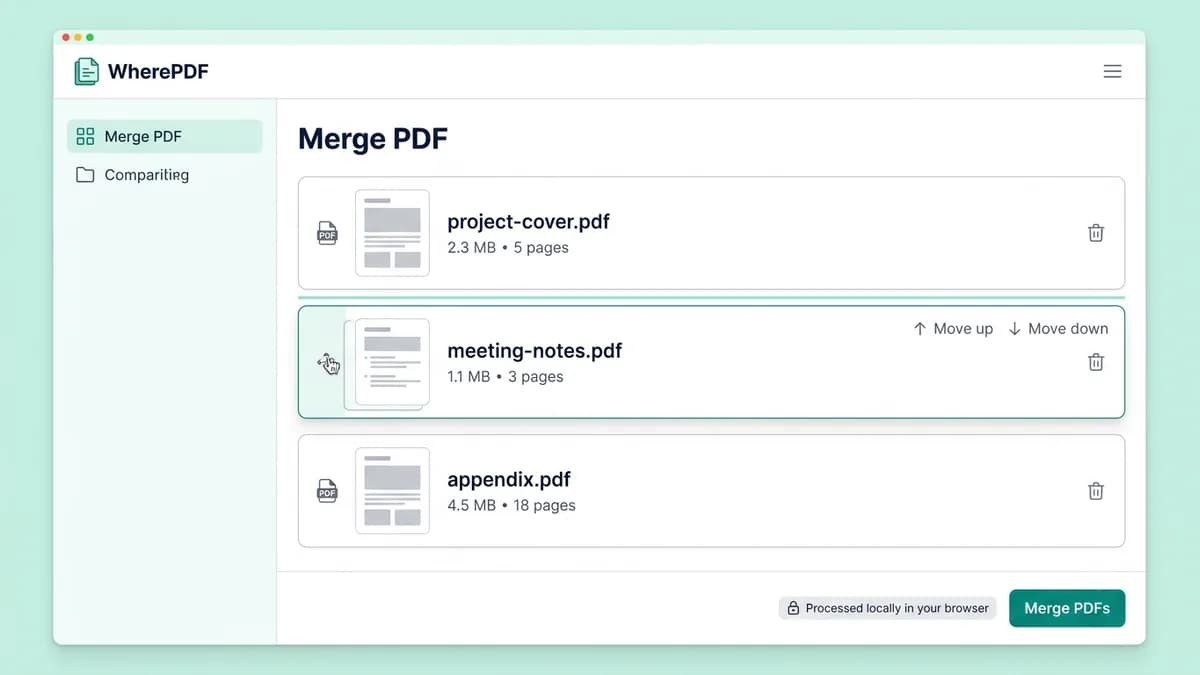
WherePDF Merge PDF tool showing three files arranged in a chosen order

The process

Complete it in three steps

  1. 1

    Open Merge PDF

    Open the Merge PDF tool and choose at least two PDF files from your device.

  2. 2

    Put files in the right order

    Use the move controls in the file list to place the cover page, supporting files, and appendices in the sequence you need.

  3. 3

    Create one PDF

    Select Merge PDFs and download the combined document. Your original files stay unchanged.

Common questions

Can I change the PDF order before merging?

Yes. Move files in the list before you create the combined PDF.

Will merging reduce PDF quality?

No. Existing PDF pages are copied into the new document without converting them to images.

Do I need an account to merge PDFs?

No. The available Merge PDF tool does not require an account.