WherePDF

Reorder PDF guide

How to reorder PDF pages without Adobe

Use page reordering when a scan was saved in the wrong sequence, an appendix is in the middle of a report, or a document needs a clearer reading order.

Open Reorder PDF Pages

No account required. This tool processes your file on this device.
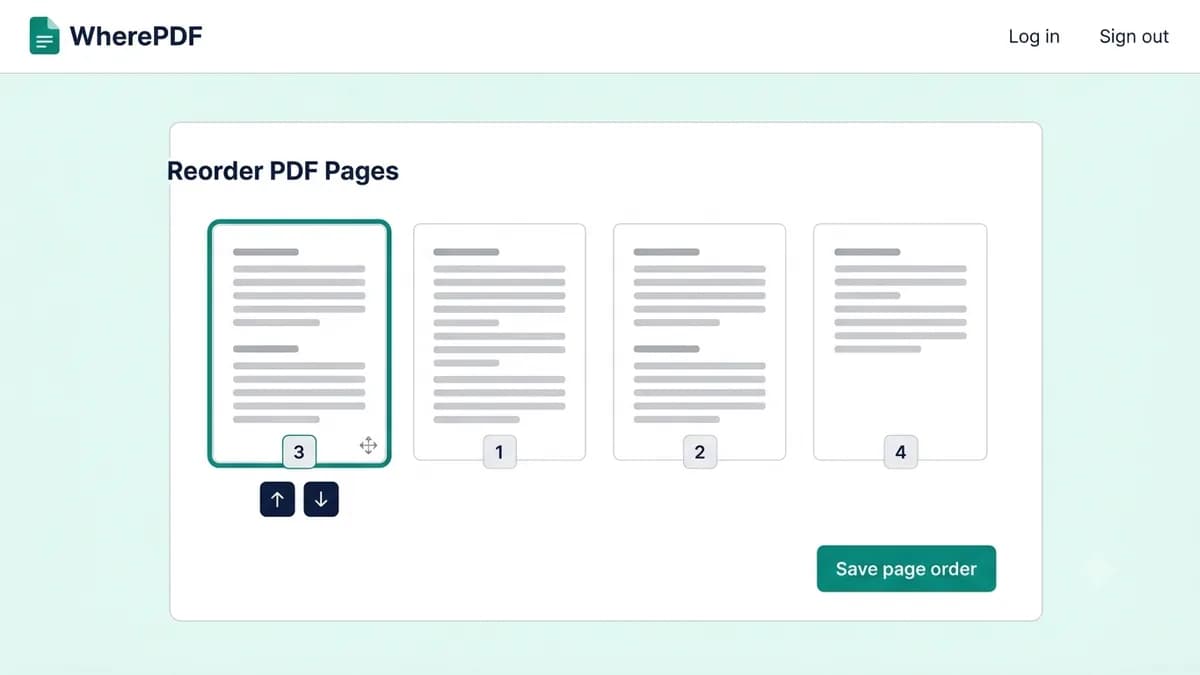
WherePDF Reorder PDF Pages screen showing page thumbnails and move controls

The process

Complete it in three steps

  1. 1

    Open Reorder PDF Pages

    Select one PDF file. WherePDF creates page thumbnails so you can work from a visual view of the document.

  2. 2

    Move pages into position

    Drag a page card, use the move up or move down buttons, or choose its exact position from the page control.

  3. 3

    Save the new order

    Apply the order, select Reorder PDF pages, and download the updated PDF.

Common questions

Can I reorder PDF pages on a phone?

Yes. Use the move controls if dragging page thumbnails is inconvenient on your device.

Does reordering turn PDF pages into images?

No. Existing pages are copied into a new order without rasterizing the document.

Can I reverse the entire PDF order?

The current version supports moving individual pages. A one-click reverse command is planned for a later update.